
Enjoy the party. Keep everyone’s point of view.
Collect the photos your friends take while you enjoy the party. One QR code brings them into a shared gallery, with an optional live screen and no guest app download.
Try Free, or choose a one-time event size. The live screen is optional.
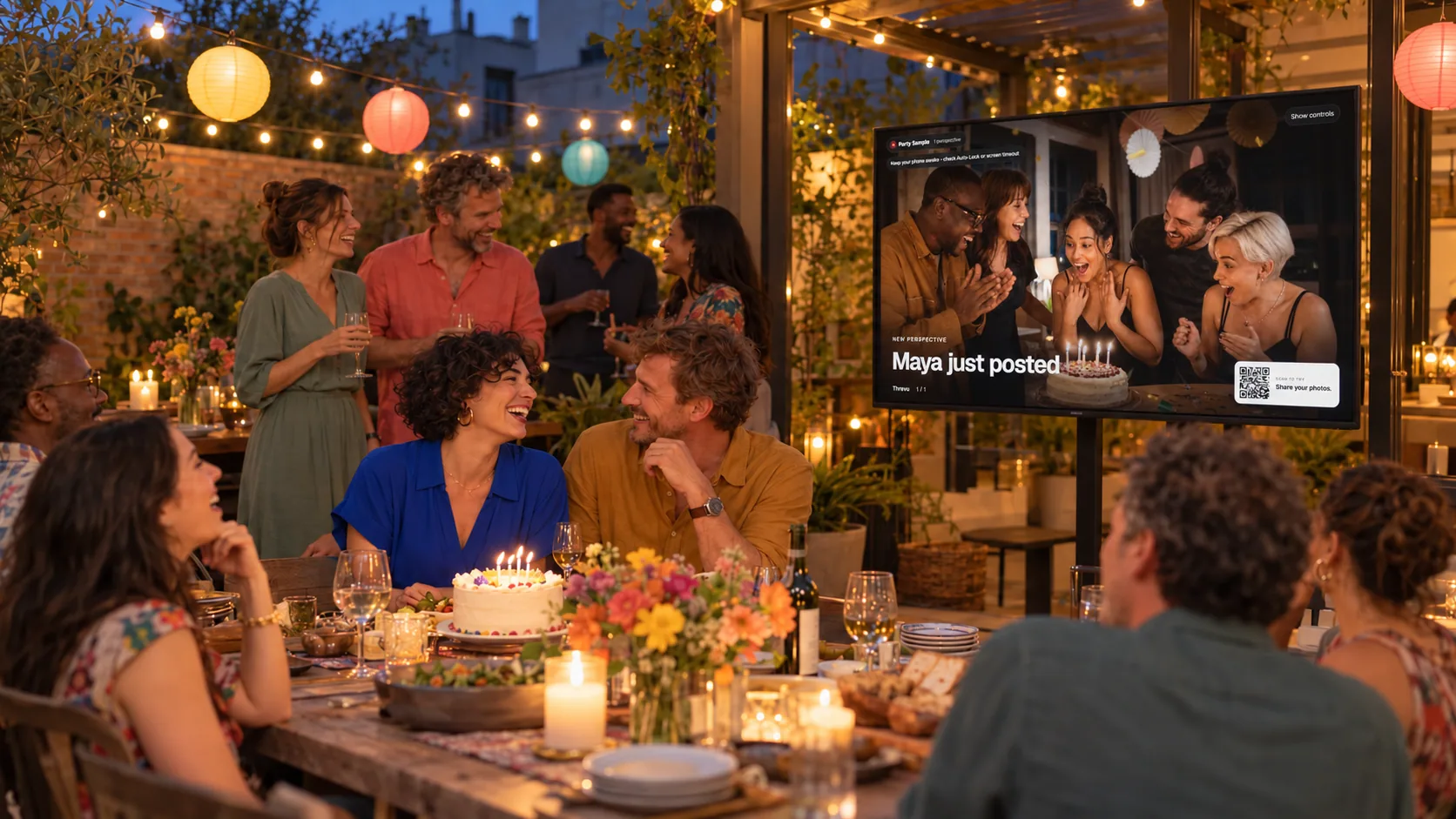
Actual product · Free sample: 50 contributors / 50 photos
One photo. Two views of your event.
Try Add photos, choose a sample, then Post. That same photo joins the gallery and optional screen. This local sample skips real-event consent, upload and screening; real photos appear after screening. The QR opens a guest demo, not a real event.
Interactive sample gallery · illustrated photos
Alex’s Birthday
47 photo slots available
Organizer’s optional live display · sample
Alex’s Birthday3 perspectives

Scan to tryShare your photos.
Sample event · Live display preview
The guest gallery and optional screen show the same sample photo.
01
Catch the moments you missed.
Birthday candles, a friends’ table, the candid in between: guests add their own point of view.
02
Make sharing part of the fun.
Share one QR or link. Guests choose a nickname and add photos in their phone browser after accepting permissions.
03
Take the collection home.
Download the processed photos before the recorded deadline. A live screen is an optional extra, not a requirement.
Your event. Your controls.
Choose what’s shared.
Keep the photos.
Try the same controls hosts use. This labeled sample stays on this page.
Keep a photo off the screen
Hide it from the display, remove it from the event, or block a participant. Automated screening helps; hosts can review photos too.
In sample gallery · display allowedSample organizer controls · no real event changes
Download before the archive expires
The organizer downloads available processed photos as a ZIP. Try a ZIP containing three illustrated sample images; no guest data.
Sample download · three PNG images
Who can see the gallery?
Anyone with the private event link or QR can access it. Links can be forwarded, so share with your guest list. Screening is not perfect.
How long can you keep it?
Check the event’s recorded gallery and export deadlines. Download before deletion becomes due; a gallery is not permanent storage.
One event. One payment.
Choose room for everyone’s photos.
Small
$29 USD once50 guest contributors
150 accepted photos total
Standard
$49 USD once150 guest contributors
450 accepted photos total
Large
$89 USD once500 guest contributors
1500 accepted photos total
QR + guest link · gallery · screening + host moderation · optional display · processed-photo downloads
New paid and venue-covered events collect and display for up to 12 hours. Gallery access lasts 90 days after collection, then seven days for organizer export before deletion is due. Scheduled or manual closure can end uploads earlier. Existing events keep their recorded terms.
Contributors are uploading participants, not invitations; a new browser/device can count separately. Accepted photos still use allowance after removal or upgrade. At either cap, new uploads pause; accepted photos remain available within their access window. Optional Three-shot mode shares the same total allowance. Free upgrades keep the existing collection window. One-time payments do not recur; tax may apply.
Hosting regularly? Compare the $99/month venue plan →
A rehearsal before people arrive
Prepare the event. Try one guest photo.
Save your party setup.
Choose the event details and capacity. Create an organizer account and confirm your email to return to the saved setup; paid choices continue to checkout.
Share the QR. Start when ready.
Use Start Event manually, or select an optional automatic schedule. A date alone does not open current setups. Rehearse one guest upload and its permissions.
Enjoy it. Save the photos.
Keep an eye on sharing, use a display if you want, and download the processed collection before its export deadline.
Before you start.
Do friends need an app or an account?
No guest app or account is needed. Guests open the QR/link in a browser, choose a nickname and accept age, participation and photo permissions. The organizer needs an account and verified email.
Can we use the gallery without a screen?
Yes. The live display is optional. Guests can share and view cleared photos in the gallery without a TV. If you use a screen, rehearse internet, power and a connected computer.
What happens when we reach a limit?
One-time sizes are $29 for 50 contributors / 150 photos, $49 for 150 / 450, and $89 for 500 / 1500. Free includes 50 contributors / 50 photos. A contributor is an uploading participant, not an invitation; another browser or device can count separately. Accepted photos still use allowance after removal or upgrading. At either cap, new uploads pause. A Free event can upgrade after verified payment, keeping its QR, accepted photos and collection window. Paid-tier upgrades are not offered through that Free upgrade flow.
Who can open the link, and when does it expire?
Anyone with the event link or QR can access the gallery; links can be forwarded. Share with your guest list. Access is temporary: follow the event’s recorded gallery/export deadlines and download processed photos before deletion becomes due. A download does not give permission to publish or promote someone’s photo.
Can an adult organize a family party?
Organizers must be 18 or older. Guests must be 18, or at least 13 with parent/legal-guardian permission. Children under 13 cannot operate the service or have a guest session; an adult may show them an adult-controlled display. Obtain required permissions for people pictured, including minors.
Jamie Such a good night.