
For every event worth remembering
Everyone’s photos.
One shared gallery.
Share a QR code. Guests add photos from their phones, and the moments land together in your private event gallery. No guest app needed. Start free, then add room or an optional live screen.
No credit card · 50 guests · 50 photos · 30 days
Interactive sample gallery · illustrated photos
Alex’s Birthday
47 photo slots available

Your event. Your controls.
Choose what’s shared.
Keep the photos.
Try the same controls hosts use. This labeled sample stays on this page.
Keep a photo off the screen
Hide it from the display, remove it from the event, or block a participant. Automated screening helps; hosts can review photos too.
 In sample gallery · display allowed
Sample organizer controls · no real event changes
Download before the archive expires
The organizer downloads available processed photos as a ZIP. Try a ZIP containing three illustrated sample images; no guest data.
Sample download · three PNG images
Who can see the gallery?
Anyone with the private event link or QR can access it. Links can be forwarded, so share with your guest list. Screening is not perfect.
How long can you keep it?
Check the event’s recorded gallery and export deadlines. Download before deletion becomes due; a gallery is not permanent storage.
From a link to a collection
Create. Share. Collect.
- 01
Create your event
Save a name and date. Create your organizer account, confirm your email, then return to the saved setup for your QR and link.
- 02
Share it with your guests
Send the link or print the QR code. Guests join in their browser.
- 03
Keep everyone’s photos
Browse, like, comment and download. Upgrade the same event if you need more room.
A gallery first. A screen if you want.
A place to look back.
And look around.
The private gallery works on everyone’s phone. The live display is an optional extra for a screen at your event.
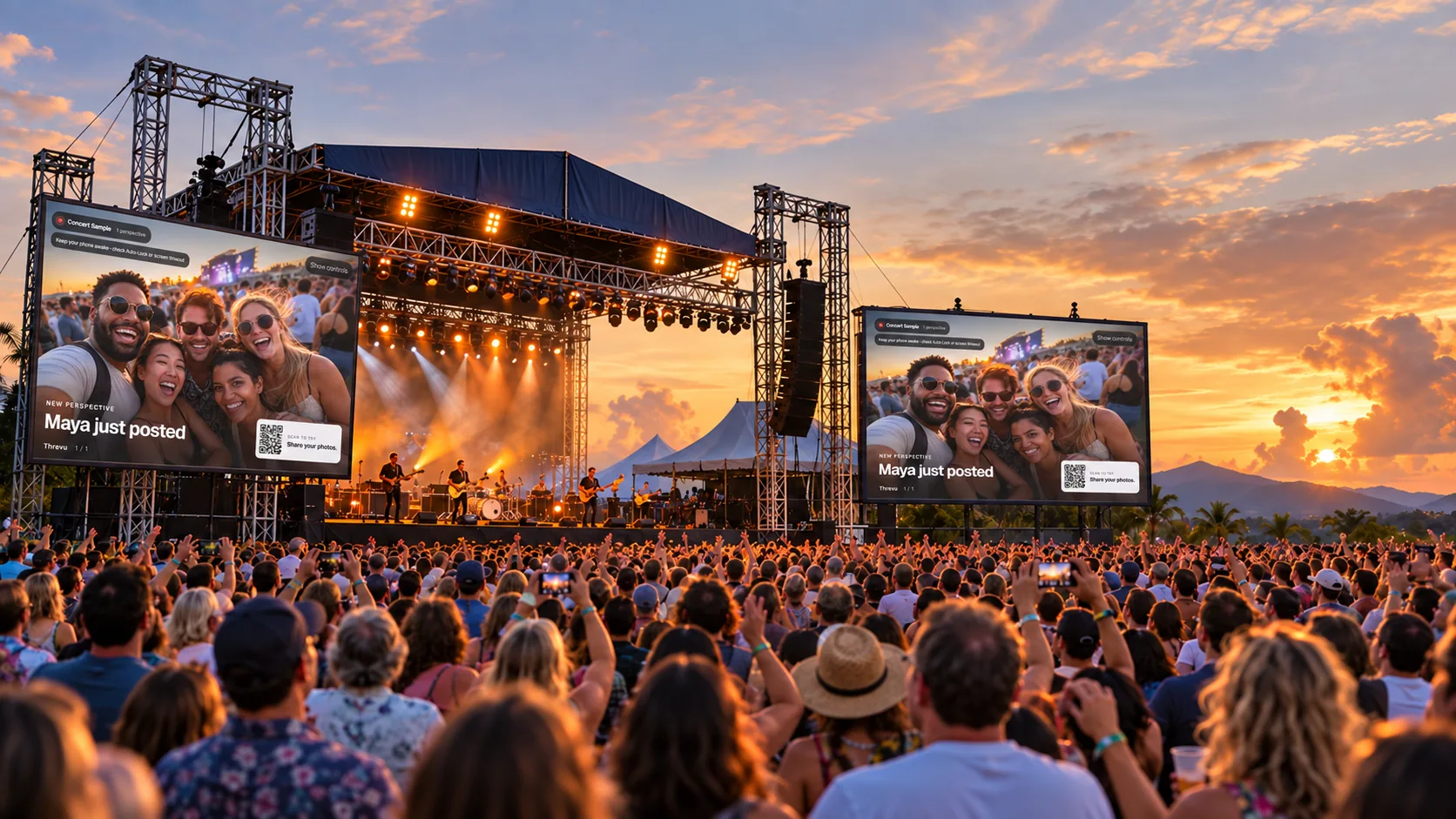
Alex’s Birthday3 perspectives

Scan to tryShare your photos.
Sample event · Live display preview
Share with your people.
Your gallery is accessible through its private link. Keep that link within your guest list.
Photos are checked before sharing.
Automated screening, host review and emergency display controls are included on the free plan.
Your photos, ready to keep.
Download accepted photos without paying. No photo watermarks.
Start with a real event
A little room is free.
Free
$050 contributors. 50 photos total.
Create a free event →Paid events
From $29More capacity in the same event. One-time payment.
Explore sizes →Venues
$99/month12 events per billing period.
Explore the venue plan →A few things before you start.
Do guests need an app or account?
No app or guest account is needed. Guests open your link or scan the QR in a browser, choose a nickname, accept participation permissions, and add photos from their phone. The organizer needs an account and verified email.
How does a TV or projector work?
The gallery works without a screen. For an optional live display, open its link in a browser on a computer connected to your TV or projector. Test Wi-Fi, fullscreen and controls before the event. Use the setup checklist.
What counts toward the limits?
A guest contributor is an event participant who can upload. Each browser/device can create a separate participant; this is not a headcount of invitations. Collection mode shares the total photo allowance. Accepted photos already used still count after removal or an upgrade. At a limit, new uploads pause; existing photos remain available within their access window. Compare sizes.
Are uploads, display and gallery access the same window?
No. Free collection and gallery access last up to 30 days from opening, followed by seven days of organizer-only export. New paid events have 30 days of uploads; live display ends at the scheduled event end or after 12 hours, whichever comes first. Paid gallery access lasts 90 days after collection, then seven days for organizer export. Scheduled or manual closure can end uploads earlier. A free upgrade keeps its existing collection window; older events keep their recorded terms.
Can the host moderate photos? Is the gallery private?
Hosts can review, remove photos, hide them from the display and block participants. Automated screening helps but is not perfect. People with the private link or QR can access the gallery, and links can be forwarded; share within your guest list.
Can I download photos, and what happens after the deadline?
Organizer downloads are included, with no photo watermarks. Downloads contain processed photos. Save them before the event’s export deadline. Photos are due for deletion after that deadline; exact dates appear on the dashboard. Free events allow one collecting or scheduled event and one new activation per rolling 30 days.
Everyone’s photos. One private place.
Jamie Such a good night.